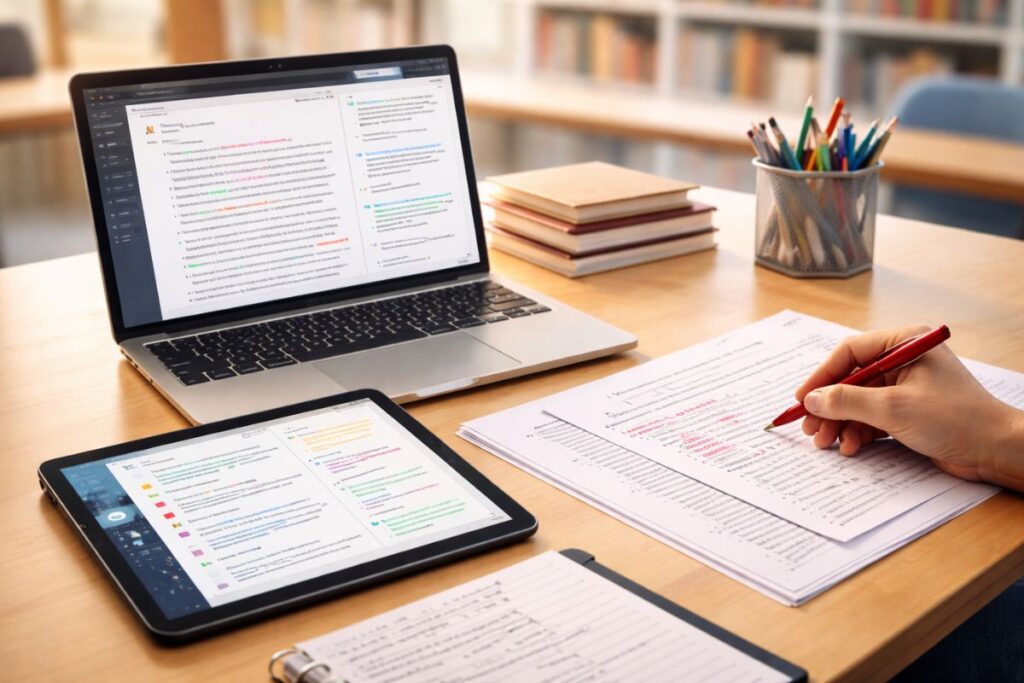
The Monday morning briefing at a secondary school in Birmingham usually involves a lot of coffee, a bit of grumbling about the heating, and a mountain of blue exercise books. But this February, the atmosphere feels different, all due to AI marking tools. I was chatting with a Head of Year last week who told me she’d finally “cleared the deck” of 90 Year 11 essays before Sunday lunch. Two years ago, that would have been a weekend-ruining 15-hour slog. Today? It’s a managed workflow.
We’ve moved past the era where “AI in schools” meant a panicked ban on ChatGPT. In late February 2026, we’re in the age of Vertical AI—systems built by people who actually know what a Key Stage 3 rubric looks like. The Department for Education’s 2025 guidance on AI in schools set the stage, but the tools hitting our laptops this term are the real story. They do not just “grade”; they interpret the messy, handwritten reality of a British classroom.
If you’re still lugging home a heavy crate of books every Friday, listen. The tech has caught up. From spotting the difference between a student’s genuine struggle and a lazy guess to deciphering handwriting that looks like ancient hieroglyphics, here is the state of play for AI marking tools for teachers in 2026.
1. Marking.ai: The Handwriting Whisperer
Honestly, if you have not seen this on “Teacher TikTok” yet, you will. Marking.ai has become the UK heavyweight for a simple reason: it can actually read student handwriting. We all have that one pupil whose writing looks like a spider fell in an inkwell and had a fit on the page.
This tool scans those handwritten scripts and aligns them directly with AQA or Edexcel mark schemes. It does not just spit out a number, either. It generates “Even Better If” (EBI) comments that sound like they came from a human being. The latest February 2026 updates have pushed its OCR (Optical Character Recognition) accuracy to a point where it even handles crossed-out text and marginalia without breaking a sweat.
ALSO READ: Leading Ladies: Influential Women in British History
2. Gradescope: The STEM Efficiency King
For the Maths and Physics departments, Gradescope by Turnitin is still the one to beat. The “killer feature” this year is AI-assisted clustering. Imagine you have set a complex calculus problem. Instead of marking 30 individual papers, Gradescope groups all the identical wrong answers together.
You provide feedback for that specific mistake once, and—boom—it applies to all 12 students who fell into that same trap. It is a massive win for consistency. As noted in the University of Leeds digital education guides, this “group grading” logic is essentially reclaiming hours of technical marking time that used to be spent repeating the same correction.
3. TeachMateAI: The Curriculum Insider
The thing about general AI is that it does not understand the nuance of the UK National Curriculum. TeachMateAI does. It is built by UK educators who know that primary school marking is a different beast compared to A-Levels.
It offers over 100 mini-tools, but the “Formative Feedback Generator” is the standout in 2026. It takes a student’s rough draft and suggests tweaks based on specific learning objectives. Because it “speaks” the language of Ofsted and the DfE, the reports it generates actually make sense to parents and SLT. No more generic “well done” comments that do not actually help a child progress.
4. CoGrader: Keeping The Bias In Check
We have all been there—it is 11 PM, you are on the 25th essay, and you are probably being a bit harsher than you were at 7 PM. CoGrader is the “Bias Check” hero we needed. When you upload your rubric, it provides a draft grade and a breakdown, but it also flags if the grading is drifting or becoming inconsistent.
The February 2026 version integrates natively with Google Classroom. You can sync a whole batch of papers with a single click. It is especially popular for History and RE, where the marking can get subjective. It keeps you honest, ensuring the first paper gets the same level of scrutiny as the last.
5. GPTZero AI Grader: The Authenticity Watchdog
GPTZero used to be just about catching kids using bots, but their 2026 “AI Grader” is a different animal. It marks the essay while simultaneously checking for plagiarism and AI-generated content.
The feature that has got everyone talking is “Writing Replay.” It essentially shows a video of how the student typed the essay. If a 2,000-word essay appears instantly in one “paste,” the system flags it. It is about protecting the integrity of the work while helping you grade it fairly. It “calibrates” to your personal style too, asking you to mark a few papers manually first so it can mimic your professional voice.
ALSO READ: IGCSE Physics Study: Essential Advice For UK Students
6. Brisk Teaching: The Chrome Extension You’ll Forget Is There
Brisk lives in your browser. If your school is a Google Docs house, this is your best friend. You can highlight a specific paragraph in a student’s doc and ask Brisk to “give feedback on metaphors only.”
It is incredibly surgical. It can also “inspect” a document to tell you exactly how much time a student spent writing it. If a “Grade 9” essay was produced in three minutes, you know you need to have a little chat. It is a low-friction tool that does not require a whole new platform, which is why it is currently a staple in staffrooms across the country.
7. Smart Revise: Making Computer Science Mark Itself
Created by the “Craig ‘n’ Dave” duo, Smart Revise is a legend in Computer Science circles. Their February 2026 update introduced a system that is smart enough to ignore minor typos in code or technical terms while still spotting a fundamental lack of understanding.
The “Self-Assessment Mode” is the real winner here. The AI guides the student through marking their own work after each question. It turns the “mark” into a “learning moment” immediately, rather than the student waiting a week for a book to come back with red pen all over it.
8. Examino: For The Paper-And-Pen Purists
Look, not everyone wants a 1:1 iPad classroom. Some of us still believe in the power of a physical pen. Examino is built for the traditionalist. You take a photo of the page, and the AI digitises the text and suggests a mark based on your specific scheme.
Their claim of “marking 100 essays in an hour” sounded like hype, but the data coming out of pilots this year suggests it is not far off. It is a bridge between the physical and digital worlds that does not force you to change your teaching style just to use the tech.
9. Class Companion: The Tutor In The Machine
Class Companion is less about the “final mark” and more about the “journey.” Students submit drafts to the AI, which acts as a tutor, giving them hints on how to improve before they hand it in to you.
By the time the work reaches the teacher’s desk, it is already been through three or four “human-in-the-loop” iterations. It is free for individual teachers, making it the perfect “entry point” if you are curious but do not have a departmental budget to play with yet.
10. Educake: Beyond Multiple Choice
Educake has been a UK staple for years, but 2026 is the year they cracked the “short answer” problem. Previously, it was great for multiple-choice, but struggled with “Explain…” questions in Science or Geography.
The new AI integration can now reliably mark those two-mark and three-mark open responses. The “Gap Analysis” reports are the best in the business—they will tell you exactly which sub-topic (say, Mitosis vs Meiosis) the whole of 9C has failed to grasp so that you can re-teach it on Tuesday morning.
2026 Comparison: Top 10 AI Marking Tools For Teachers
| Tool | Primary Strength | Standout 2026 Feature | Best Subject Fit |
|---|---|---|---|
| Marking.ai | Handwriting Recognition | High-accuracy OCR for “messy” scripts | English & Humanities |
| Gradescope | STEM Efficiency | AI-assisted answer clustering | Maths, Physics & Coding |
| TeachMateAI | Curriculum Alignment | Formative Feedback (Ofsted-ready) | Primary & KS3 General |
| CoGrader | Bias Prevention | “Consistency Alerts” for large batches | History, RE & Sociology |
| GPTZero AI Grader | Academic Integrity | “Writing Replay” (Watch the typing process) | Senior Essays/Coursework |
| Brisk Teaching | Low-Friction Workflow | Browser-based “Metaphor-only” feedback | English & Creative Writing |
| Smart Revise | Technical Accuracy | AI ignores minor syntax/coding typos | Computer Science & ICT |
| Examino | Hybrid Grading | Marks physical paper via smartphone photo | Traditional Pen-and-Paper |
| Class Companion | Iterative Learning | AI “Tutor Mode” for early drafts | Any (Focus on drafting) |
| Educake | Formative Assessment | Short-answer “Explain” question marking | Science & Geography |
The “Human-In-The-Loop” Reality
Now, here is the thing. As Ofqual’s recent 2026 blog post points out, AI is nowhere near ready to take over “high-stakes” marking entirely. We are not letting bots decide GCSE results just yet.
The style for 2026 is the “Co-Pilot.” The AI does the grunt work—scanning, the initial grading and giving initial feedback on a draft—but the teacher remains in charge. When you are happy, click “Release.” This is not about replacing the teacher; it is about making sure that teacher is not still marking at midnight on a Sunday.
ALSO READ: School Leavers in the UK: How Traditions Have Changed Over the Last Decade
Frequently Asked Questions
Q. Can These Tools Really Read Bad Handwriting?
Honestly? Yes. Tools like Marking.ai and Examino are now scarily good at it. They use models trained on thousands of actual student scripts, not just clean digital fonts.
Q. Is My Student Data Safe With These AI Companies?
This is the big one. All the tools mentioned here are built to be compliant with UK GDPR. However, always check if your school has a specific AI policy before you start uploading student work. Most platforms now offer “Data Privacy Vaults” where the data is not used to train the general AI.
Q. Will AI Marking Make My Feedback Feel “Robotic”?
Only if you let it. The best way to use these AI marking tools for teachers is to let the AI draft the feedback, then you add that one “personal touch” comment. A quick “I loved your point about X in class on Tuesday” goes a long way.
Q. What Happens If The AI Gets It Wrong?
It will. Maybe 5% of the time. That is why the “human-in-the-loop” model matters so much. You are not a mere observer; you are the editor-in-chief of that feedback.
So, where does that leave us? Sure, the crate of books is not quite ready to vanish entirely, but it is certainly growing a lot lighter. Are you going to stick with the red pen and the late nights, or are you ready to let the machines handle the “spiders” for you?
Sources & References
- GOV.UK / Ofqual. (2026, January). Principles of AI use in marking.
- Craig ‘n’ Dave. (2026, February). Update to Smart Revise.
- GPTZero. (2026, February). AI detection & writing tools for Google Docs.
- The Digital Resistance. (2026). Integrating AI into the UK school curriculum roadmap.
- CoGrader. (2026). AI grading tool for teachers & Google Classroom integration.
- Class Companion. (2026). AI tutor and feedback insights.
- Turnitin / Gradescope. (2025). Meet Gradescope: Key features and benefits.
Disclaimer: This article is provided for informational purposes only and does not constitute endorsement, promotion, or sponsorship of any products, platforms, or services mentioned. The views expressed are for general guidance and discussion within the education sector. Readers should conduct their own due diligence and follow their institution’s policies before adopting any tools referenced.