The Samsung Galaxy S26 Ultra is Samsung’s most refined Ultra to date, pairing a headline hardware innovation with incremental improvements across cameras, charging and performance. This review consolidates hands-on impressions, technical detail and UK pricing to give a single, practical guide for buyers.
Samsung Galaxy S26 Ultra: Quick Verdict
- Verdict: The S26 Ultra is the phone to choose if you want flagship performance, the most capable Samsung camera system and a practical privacy feature for public use.
- Strengths: Pixel-level privacy display, telephoto improvements, S Pen productivity and faster wired charging.
- Trade-Offs: Premium price and evolutionary design compared with the previous Ultra generation.
- Privacy: Industry‑leading pixel‑level mode that protects on‑screen content from shoulder‑surfing.
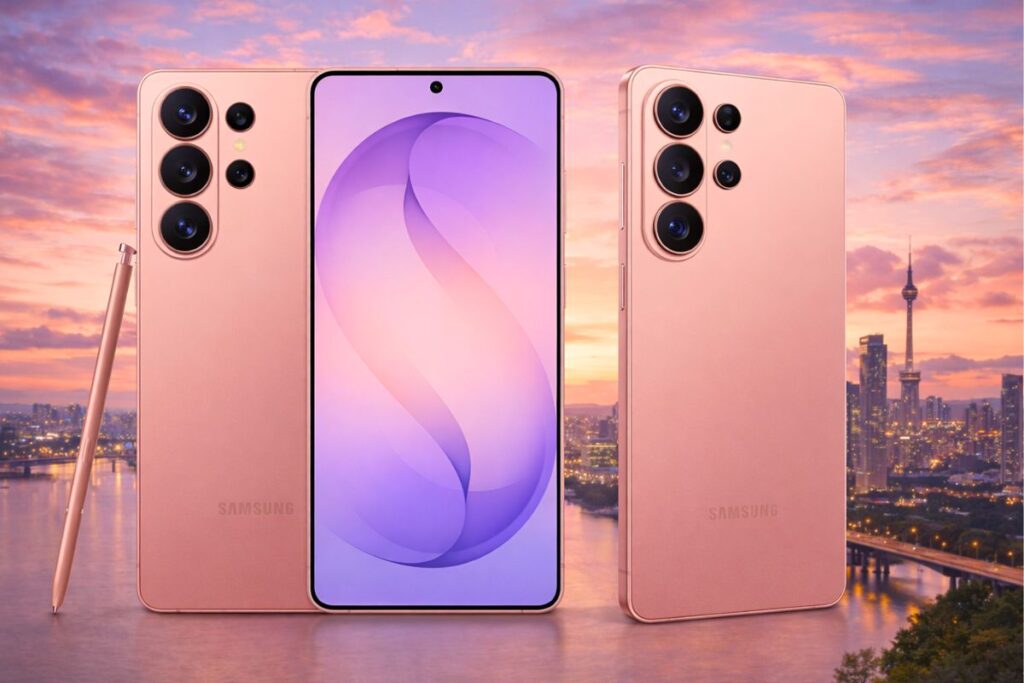
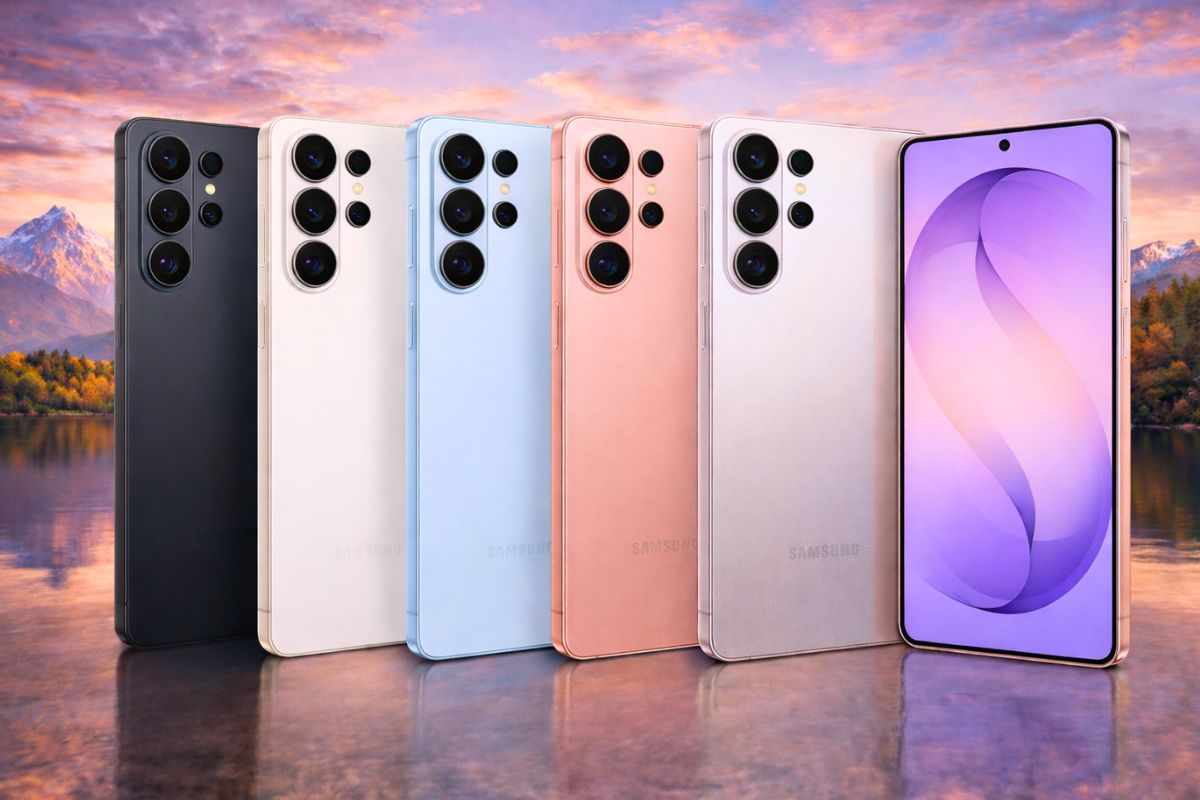
- Colours: Pink Gold, Silver Shadow, Cobalt Violet, Black, Sky Blue, and White
Design And Display
Look and Feel
Samsung retains the Ultra silhouette while shaving millimetres and grams for a more balanced hand feel. The chassis uses premium materials and a matte finish that resists fingerprints.
ALSO READ: Understanding Liveness Detection: Securing Biometric Systems
Display and Privacy
The defining hardware change is a pixel-level privacy display that can selectively narrow viewing angles for the whole screen or for specific UI elements. The panel remains a high-brightness, high-resolution AMOLED with adaptive refresh for smooth scrolling and efficient power use. In everyday use, the privacy layer is unobtrusive and effective on public transport and in crowded spaces.
The S26 Ultra introduces a pixel‑level screen‑blocking privacy mode that narrows off‑axis viewing so side glances see a darkened or obscured image while the main user sees full content. It can be toggled globally or applied per app, and remains unobtrusive during normal use while offering practical protection on public transport and in crowded spaces.
Use the quick guide below to enable, customise and test the privacy display on your device.
- Quick guide — enable, customise and test the privacy display.
- Enable — Open Settings → Display → Privacy mode and toggle it on.
- Per‑app control — In Privacy mode settings, choose Per‑app and enable the feature for messaging, banking or any app you want protected.
- Schedule — Use the scheduling option to turn privacy mode on automatically during commutes or set times.
- Quick test — Hold the phone at a 30° angle from your face; a side‑viewer should see a darkened or obscured screen while you see full content.
Tip: Increase screen brightness briefly when testing outdoors to confirm legibility with the privacy layer active.

Performance And Battery
Processor and Responsiveness
Equipped with a flagship chipset and generous RAM options, the S26 Ultra delivers instant app launches, fluid multitasking and class-leading short-burst benchmark scores. The phone is tuned for consistent responsiveness across productivity and creative workflows.
Battery and Charging
Samsung fits the S26 Ultra with a battery in the 5,000-mAh class and faster wired charging up to 60W, which significantly reduces top-up time and improves convenience for users who charge briefly between meetings or commutes, expecting 16–18 hours of active use before needing a recharge. With adaptive refresh and efficient chipset management, the battery optimises power consumption intelligently.
Cameras And Imaging
System Overview
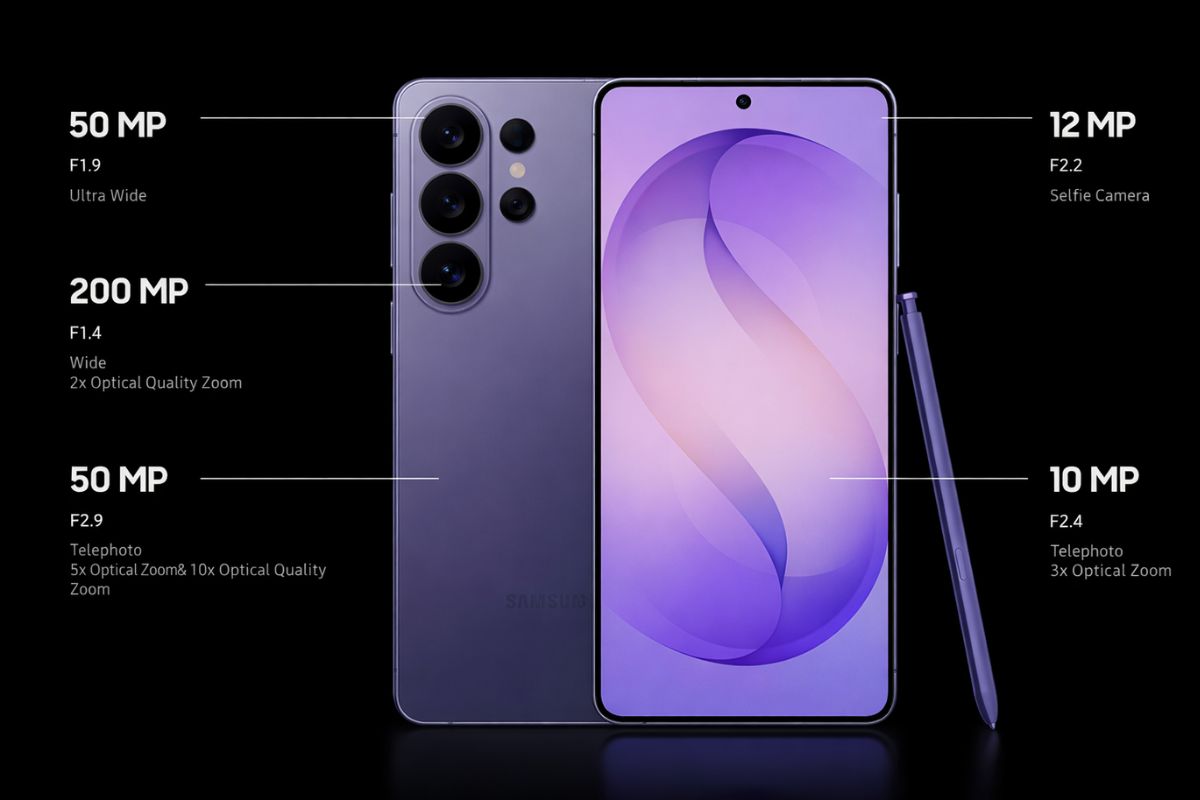
The camera array combines a high-resolution main sensor with multiple telephoto options and advanced computational processing. Samsung’s tuning favours punchy colours and strong dynamic range while preserving detail in high-zoom crops.
Telephoto and Zoom
Telephoto performance is the most notable step forward: improved image stabilisation, cleaner detail at long range, and better hybrid zoom processing make the S26 Ultra especially useful for travel, events and distant subjects.
Low Light and Video
Night modes and noise reduction produce usable handheld low-light shots with natural colours. Video capture supports stable 4K recording with reliable autofocus and electronic stabilisation.
Software, S Pen, and Privacy Features
Software Experience
One UI on Android provides deep customisation, robust multitasking and tight S Pen integration. Productivity features such as screen annotations, handwriting recognition and multi-window workflows are mature and reliable.
S Pen
The S Pen remains a core differentiator for note-taking and editing. Latency is low, and the software suite supports quick capture and conversion of handwriting to text.
Privacy Suite
Alongside the privacy display, Samsung includes granular permission controls and secure storage for sensitive data. The privacy display is a practical addition for users who frequently handle confidential content in public.
Connectivity And UK Pricing
Connectivity
The S26 Ultra supports a broad set of 5G bands, dual-SIM and eSIM options, Wi-Fi 6/6E and modern Bluetooth standards, ensuring strong compatibility with UK carriers and good roaming performance across Europe.
UK Pricing and Offers
Samsung and major UK retailers list the S26 Ultra at premium pricing with trade-in and pre-order incentives. Typical UK pricing at launch is:
| Model | UK Launch Price |
|---|---|
| 256 GB | £1,279 |
| 512 GB | £1,279 (promotional parity with 256 GB on some pre-orders) |
| 1 TB | £1,529 |
Retail notes: Samsung UK is offering trade-in credit and finance options, including monthly plans and bundled care packages. Major retailers such as Currys list pre-order pricing and double-storage promotions on selected SKUs. Compare SIM-free, contract and trade-in deals to find the best effective price.
ALSO READ: Why The Billionaire Morning Routine Challenge Is Breaking The Internet
Who Should Buy And Buying Checklist for Samsung Galaxy S26 Ultra
Best for
- Commuters and frequent travellers who want on-device privacy in public.
- Power users and creatives who use the S Pen and demand top performance.
- Photographers who prioritise telephoto reach and flexible focal lengths.
Less Compelling for
- Users who prioritise the lowest possible price or radical design changes.
- Buyers who value maximum repairability over the latest features.
Buying Checklist
- Compare trade-in values for your current phone.
- Check carrier bundles for included insurance or accessories.
- Test privacy mode in store confirm effectiveness at typical viewing angles and brightness.
- Confirm storage needs before choosing between 256 GB, 512 GB and 1 TB models.
Conclusion
The Samsung Galaxy S26 Ultra is a polished flagship that blends a practical privacy innovation with the performance, camera versatility and productivity features buyers expect from an Ultra device. Its premium price reflects those capabilities, and the value will be highest for users who make use of the privacy display, S Pen and long-range photography.
Sources & References
- What Hi‑Fi? (2026, February 26). Hands on: Samsung Galaxy S26 Ultra review.
- Painter, L. (2026, February 25). First impressions: Samsung Galaxy S26 Ultra review. Trusted Reviews.
- Bray, J. (2026, February 25). Samsung Galaxy S26 Ultra hands‑on review: No peeking. Expert Reviews.
- GSMArena Team. (2026, February 25). Samsung Galaxy S26 Ultra, S26 Plus and S26 hands‑on review. GSMArena.
- O’Boyle, B. (2026, February 25). Samsung Galaxy S26 Ultra first look: Screen‑blocking privacy mode is a game changer. The Telegraph.
Disclaimer: This article is provided for informational purposes only and is not intended as advertising, promotion, or endorsement of any product or brand. The views expressed are based on available information at the time of writing and may change without notice. Readers should conduct their own research and verify details with official sources before making any purchasing decisions.