
Every megabyte counts on your phone. Large apps drain your storage fast. They eat up your cellular data too. Users hate waiting for long downloads. Apple solved this with app thinning. This system changes how apps install. It shrinks the final download size significantly.
The App Store delivers custom app versions. Your phone gets only what it needs. A basic iPhone ignores heavy iPad code. This guide breaks down the technology. You will learn the core components. We share real data savings. Discover why small apps win more downloads. Let us look at how it works.
What Is App Thinning?
App thinning is Apple’s optimisation system. It customises app downloads for every device. Your iPhone needs specific code and images. It does not need iPad files. The App Store detects your device model. It then delivers a tailored package. This process cuts out useless data. You save valuable storage space. Downloads become much faster. It runs completely behind the scenes.
Three Components Of App Thinning
Apple relies on three distinct pillars. They work together seamlessly. Each tackles a different size problem.
Component 1: App Slicing
App Slicing handles graphic assets and code. Developers upload one master application bundle. This bundle contains every image size. It contains all device variations too. The App Store cuts this bundle. It creates specific chunks called variants. Each variant matches a specific screen.
An iPhone 15 Pro needs 3x graphics. An older iPhone needs 2x graphics. Slicing drops the unneeded asset files. Your device downloads its perfect match. The system ignores the extra weight.
| Device Type | Asset Resolution | Download Type |
|---|---|---|
| iPhone SE | 2x Graphics | SE Variant |
| iPhone 15 Pro | 3x Graphics | Pro Variant |
| iPad Pro | iPad Graphics | Tablet Variant |
Component 2: Bitcode
Bitcode is an intermediate compilation step. Developers upload code in this format. It is not raw machine language. Apple recompiles this code automatically. They optimise it for target chips. Suppose Apple launches a new processor. Developers do not need to resubmit.
Apple updates the app themselves. This future-proofs the binary size. It removes redundant instruction sets easily. The server compiles clean packages. It keeps code footprints very small. Older devices get light binaries too.
Component 3: On-Demand Resources
Games often have massive file sizes. They contain hundreds of virtual levels. You do not play them all. On-Demand Resources fixes this waste. It hosts assets on Apple servers. The main download stays tiny. You download the first few levels. You start playing the game immediately.
The app fetches later levels later. It downloads them in the background. It deletes old levels automatically. Space is freed up constantly. Your phone never gets full. This helps utility apps too. Think of complex tutorial videos. The app fetches them only when tapped. These three tools change everything. They save storage space daily.
Why App Size Matters?
Every megabyte counts for your conversion rates. Big apps scare away potential users. People hate using limited data plans. Long download times cause quick abandonment. Storage space remains a luxury. Many users own 64GB devices. They constantly delete files for space.
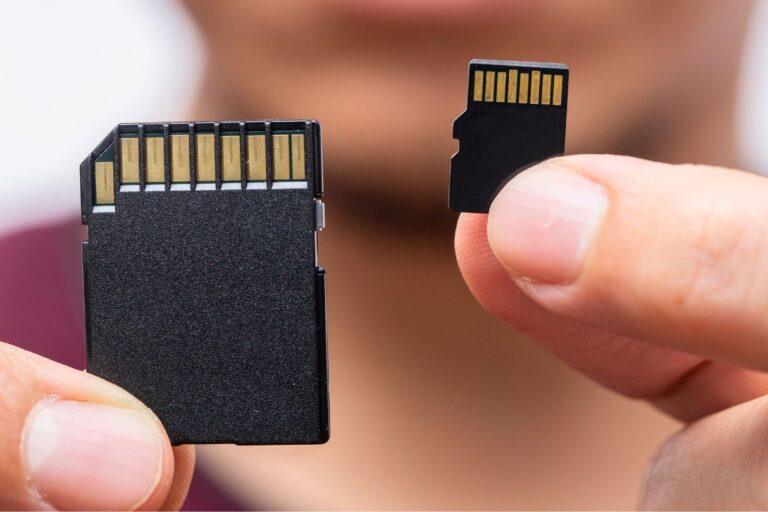
Unlike many Android phones that let owners expand storage with a Mini SD or Micro SD card, iPhones have no card slot at all, so every megabyte app thinning saves matters even more. Heavy apps face the axe first. App store limits cause major friction. Cellular networks restrict massive background downloads. Apple enforces strict over-the-air caps. Users must connect to stable Wi-Fi. This delay kills instant installations.
Small apps achieve better user acquisition. They download within seconds on cellular. Your visibility improves significantly. Retention relies on lightweight files. Performance optimisation techniques used in gaming and mobile applications both focus on reducing resource usage and improving user experience. This same push for efficiency is visible at the hardware level too, with Apple’s on-device AI performance gains in its newest Mac Mini chips showing how local processing power is becoming central to the Apple ecosystem. A lean app updates without errors. It stays on the phone longer. Here is how size impacts user behaviour:
- Over 200MB: Requires Wi-Fi often.
- Under 50MB: Downloads instantly anywhere.
- Low Storage: Triggers immediate phone cleanup.
How Much Size Can App Thinning Actually Save?
App thinning delivers massive, concrete results. The exact savings depend heavily on your asset structure. Many applications cut their total download weight by half. Heavy, graphic-heavy programs see the biggest drops. Consider a typical universal app package of 200MB. Without thinning, every single user downloads all 200MB. With slicing active, the story changes completely.
An iPhone 15 Pro user might only pull down 90MB. The extra tablet code disappears. Real-world cases show impressive metrics. Shifting unorganised images into proper asset catalogues saves massive space. Large enterprise apps frequently shave off 25MB to 50MB instantly. These smaller numbers mean everything for conversions. Your users get a lightweight file, and installations jump significantly.
What Developers Need To Do To Enable App Thinning?
App thinning fits into your daily pipeline. It requires early team planning. Designers must structure graphics properly from day one. Developers need to test unique device builds. Use test tools inside App Store Connect. Check the specific variant size report regularly.
You can find the report by visiting: App Store Connect > Activity > Build Details > App Store File Sizes. This report shows exact sizes for every iPhone. It helps you catch sudden size spikes. Fix bloating before shipping the final version. It keeps production code lean.
App Thinning As Part Of Your iOS Development Process
Integrating optimisation into your pipeline is critical. A top app development company builds this step directly into daily workflows. Designers must format graphics early. Developers organise the asset catalogues from day one. Use TestFlight variant reports during sprints.
Check sizes for older iPhone models regularly. Xcode > Archive > Export > Save for iOS App Store Deployment. This export creates local variant folders. Test the sliced builds on physical devices. Catch sudden code bloating before the final review. Fixing asset bugs early saves massive production time. It ensures a lean, fast product for your clients.
App Thinning And App Development Cost
Optimising your app saves money long-term. Initial setup takes a few engineering hours. Usually, the mobile app development cost ranges from $500 to $2,000. Ignoring this step sparks hidden expenses. Massive apps increase cloud hosting bills. Your server bandwidth costs surge rapidly.
Data shows small apps drop user abandonment. Lower bounce rates boost conversion value. You maximise marketing budget efficiency. Spending money on asset configuration early stops future revenue loss. Lean code keeps operations highly profitable.
Common Mistakes That Bloat iOS App Size
Many teams bloat their installations accidentally. Small slipups create massive files quickly. Avoid these five frequent errors. The Five Size Offenders
- Bundling assets in the main bundle: Placing loose assets outside folders breaks slicing. Your user downloads every file.
- Skipping asset catalogue organisation: Put graphics inside Assets.xcassets. Unorganised assets cannot use Apple optimisation systems.
- Using PNG instead of HEIC or WebP: Old formats take double the space. Switch to modern compressed files instead.
- Duplicating assets across targets: Sharing files between extension modules copies data twice. Keep shared code modular.
- Not auditing size before submission: Skipping size reports hides hidden bloat. Always check variant sizes before clicking publish.
ALSO READ: Benefits Of Hiring Web Development Company For A UK Business
Final Thoughts
App store real estate is highly competitive. Every single megabyte affects your user retention. Heavy applications simply drive modern users away. App thinning provides an elegant solution. It keeps your downloads exceptionally light. It functions automatically on Apple servers.
Lean applications download quickly on cellular networks. They protect limited consumer data plans. Your overall installation numbers will grow. Make optimisation a daily engineering habit. Organise your asset catalogues early. Audit your builds before every submission. Small, fast apps always win the market. Start thinning your application today.
Sources & References
- Apple Developer. (2026). Doing basic optimization to reduce your app’s size. Apple Developer Documentation.
- Apple Developer. (2026). Xcode resources and support archives. Apple Developer Documentation.
- Wikipedia. (2026). App Store (Apple).
Disclaimer: The information provided in this article is strictly for educational and informational purposes only. It does not constitute professional technical, financial, or legal advice, nor is it intended as a promotional endorsement for any specific products, services, or development frameworks. Readers are encouraged to consult official documentation and qualified experts before implementing technical solutions. The author and publisher assume no liability for actions taken based on this content.